ImportError: No module named ‘scikits’ – Python Fix Jupyter Notebook

If you have the above problem, to fix this, follow these guidelines as advised by Flowerowl  at this link (https://github.com/muricoca/crab/issues/92):

The steps are as follows:


Don’t install crab in this way: pip install crab / easy_install crab
You can find crab in pypi.python.org, this is not our scikits.crab source
Solution:
git clone https://github.com/muricoca/crab.git
python setup.py install
good luck ~


Now the details:

  1. Visit the github link and clone or download. In this guide, I will download
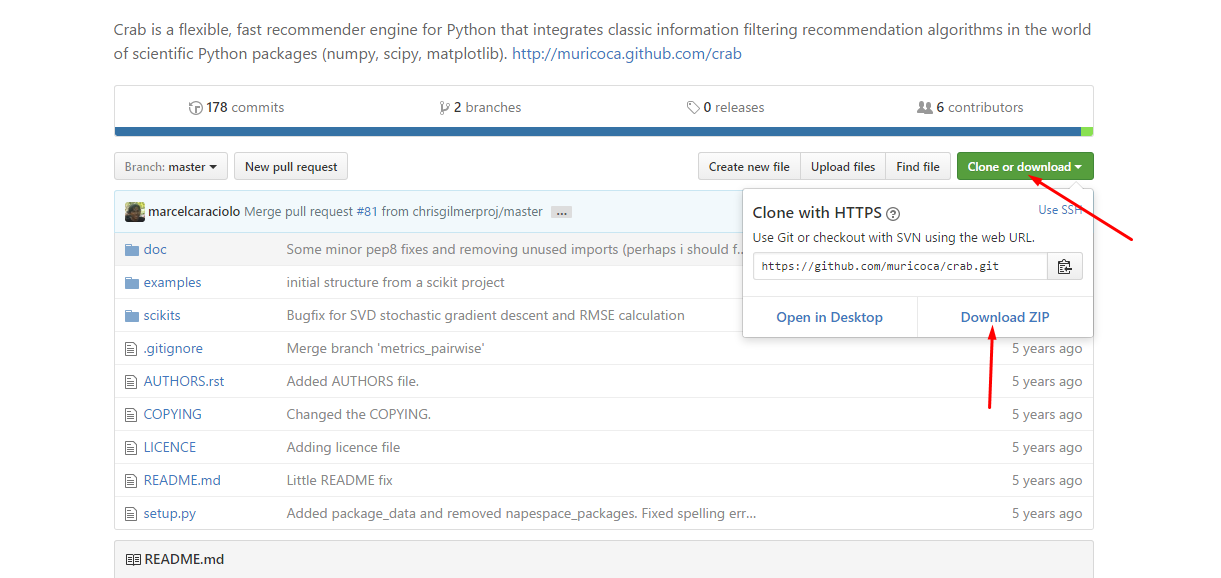
    clone or download
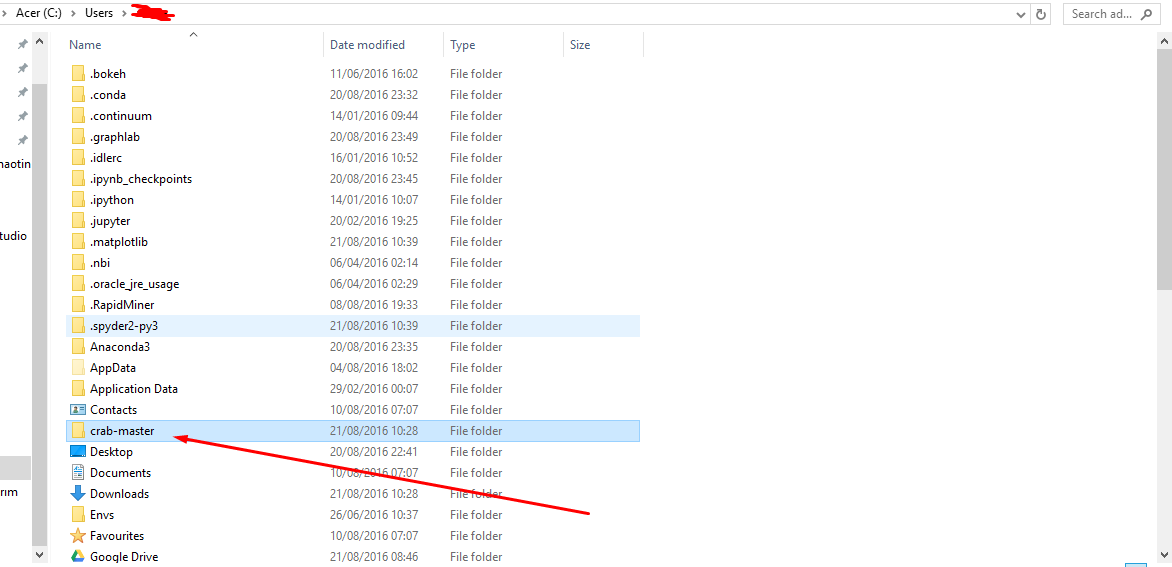
  2. Download and unzip into your default windows working directoryno module scikits crab1
  3. Now go to command prompt on windows and change into the crab-master directory and further into it, to get to the install fileno module scikits crab installation problem
  4. Now run the python setup.py install command 

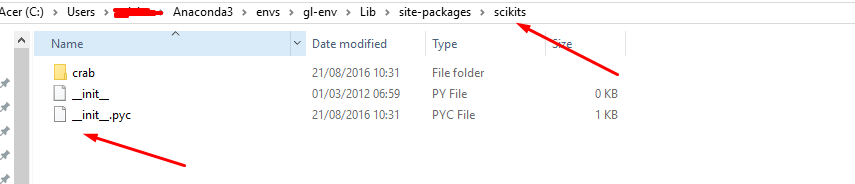
  5. Scikits.crab will be installed. Just note the path to the installation package  sckits.crab installed packagewindows scikits crab installed package

  6. Now add this path to your system variables to make it work.
  7. These are quick steps to access your system variables on Windows 10 PC
  8. Type “variables” or “system variables” into your start menu “search box” 
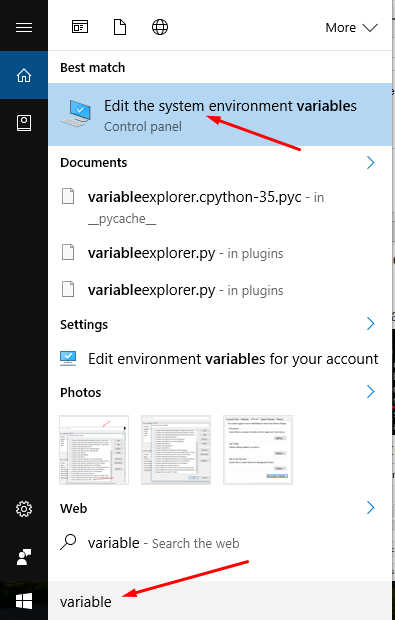
 

environmental variable on windows 10


9. From the resulting window, click on the Advanced Tab and then Environment Variables
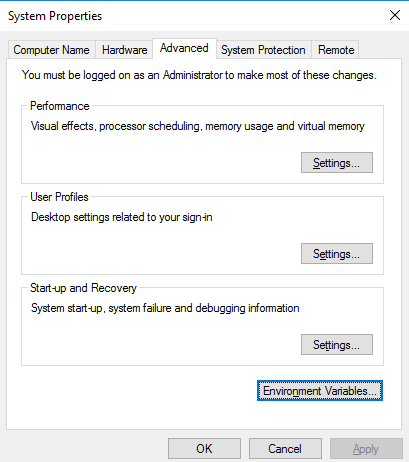
 

add scikits crab package to system variables


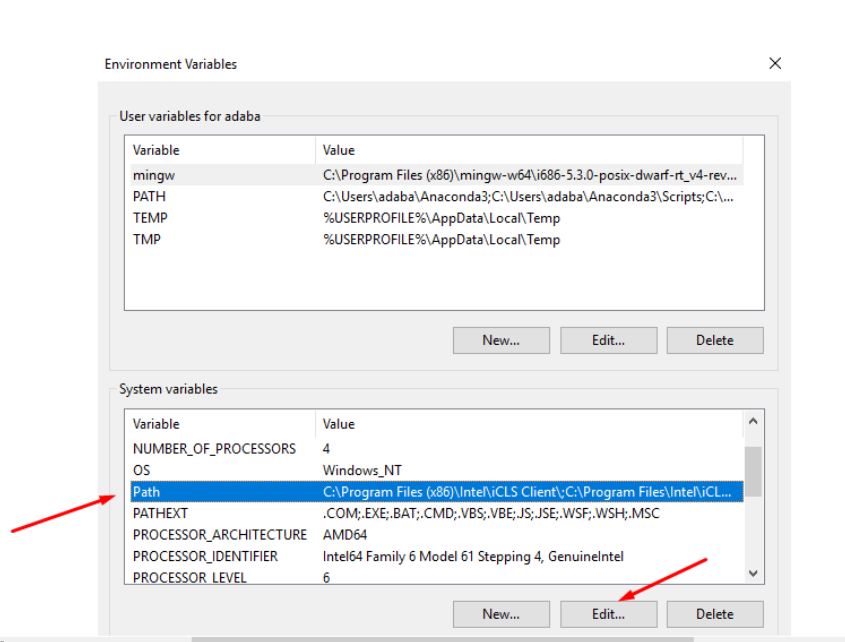
10. Locate the “Path” and click on “Edit…”
 

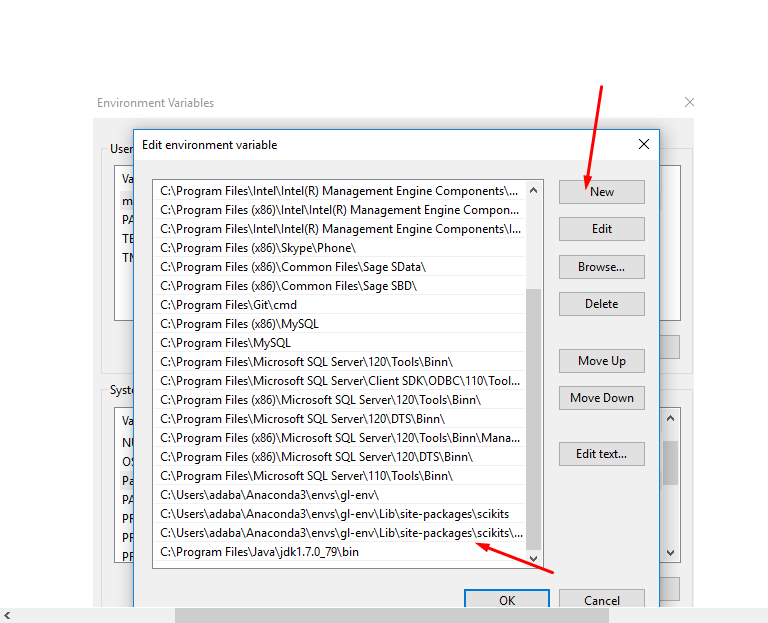
11.  Click on “New” and then Add your pathscikit learn sklearn crab python system environment variable
 

12.  To test it, now, change into your Python environment by typing “python” at the command prompt

13.  And then import try and import from scikits.crab import datasetsfrom scikits import crab

 

13. It works fine in Jupyter notebook.
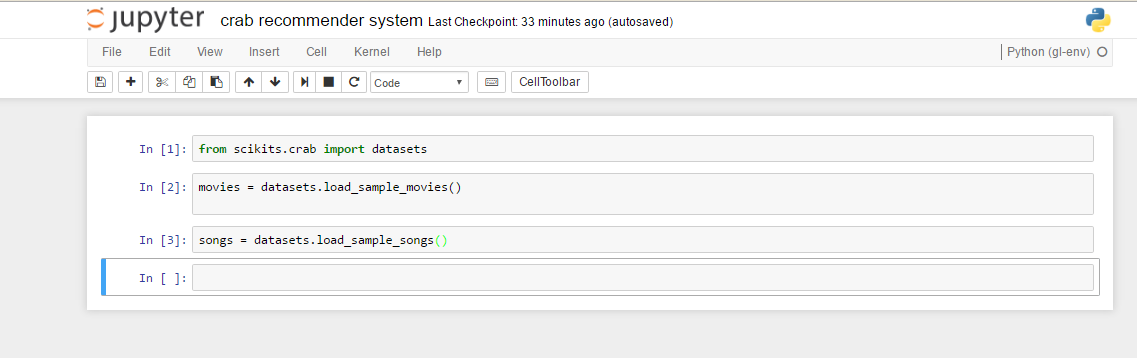
crab jupyter notebook


14.  Hope this helps you 🙂

15. To illustrate fixes worked fine and code runs fine, check the crab example code here:Crab Recommender System installation error fix example code

16. Watch a quick video of the fix here:
Want more information like this?

Similar Posts

  • Basic Plotting Using Bokeh Python Pandas Library – Scatter, Line Visualizations

      Bokeh is a powerful framework for data visualization in Python. Here I take a look at straightforward plotting and visualization using this powerful library. Credit to PythonHow. You can check him out on Youtube bokeh.models #It is a low level interface which involves a lot of work bokeh.plotting # It is a middle level interface bokeh.chart #…

  • |

    Save Python Pivot Table in Excel Sheets ExcelWriter

    Untitled This is a quick script on how to save Python pivot_table in an excel file. Credit to  pbpython In [1]:

      In [2]:


    In [8]:

      Out[8]: First Name Last Name Sex Phone Fax Email Address Booking Date Departure Date Arrival Date Address1 … Number of Passengers Total Cost Currency Numeric Code…

  • | |

    Testing a Basic Linear Regression Model – Data Analysis and Intrepretation

    Testing a Basic Linear Regression Model Background My research work deals with Ghana, a country from the Gapminder dataset as has already been discussed from the beginning and progression through this course.     1)     Program  Code and Output

           #####################     OUTPUT BEGIN  #####################     Axes(0.125,0.125;0.775×0.775) Describe the centered…

  • Crab Recommender System – Framework in Python Example and installation Problem Fix

      This is just to show that the import errors which were encountered during the installation of Crab, a Recommender Framework in Python  worked fine with the fixes I earlier outlined. These were the errors and how they were fixed: ImportError: No module named ‘scikits ImportError: No module named learn.base   The code below is the…

  • Python PyQt Gui Basics Button Window PyQt4 Pt1

    This is just some quick scrap notes on the basics of Python GUI building using PyQt. In [1]:


      the ‘init‘ statements runs anytime we call call the Window class we have created and it runs all the code in the Window class the _init__ method calls the super constructor and then sets…

  • | |

    Running a Lasso Regression Analysis – Data Analysis and Intrepretation

    Overview My research work deals with Ghana, a country from the Gapminder dataset as has already been discussed from the beginning and progression through this course. My response variable, lifeexpectancy, is a quantitative response variable that measures the life expectancy of the people of Ghana. For the purposes of running the Lasso Regression Analysis, I added more variables…

Leave a Reply

Your email address will not be published. Required fields are marked *