
Sending Email Using Python Smtplib Automate Email Sending Alerts
When you have a script running and you have logs set , you might also want to send yourself or
When you have a script running and you have logs set , you might also want to send yourself or
After writing your script, you might want to schedule it to run periodically, let’s say, Daily, Weekly or Any Time
If you have some Python scripts which rely on some packages that need a different version other than the version
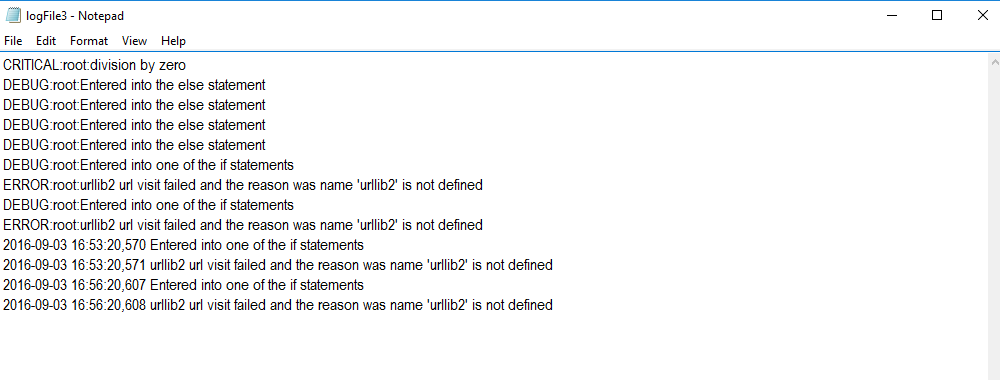

In this notes, we are looking at a simple but yet useful and powerful logging in Python In [77]:
|
1 2 3 4 5 6 7 8 9 10 11 12 |
import logging #levels of logging are #1 debug - detailed info #2 info - confirmation that things went according to plan #3 warning - something unexpected happened #4 error - some function failed #5 critical - something failed and application must close from imp import reload reload(logging) # this will help our logging to be saved to file logging.basicConfig(filename='logFile3.log',format='%(asctime)s %(message)s', level=logging.DEBUG) # the logging will only log the level you set it to and any #other levels ABOVE it but NOT below it |
This is some quick notes about getting stock data from Yahoo and plotting it using Matplotlib . The Python version

This is some quick notes about graphing or plotting graphs with Matplotlib in Python. Credits to sentdex. You can check him out
This is just to show that the import errors which were encountered during the installation of Crab, a Recommender Framework
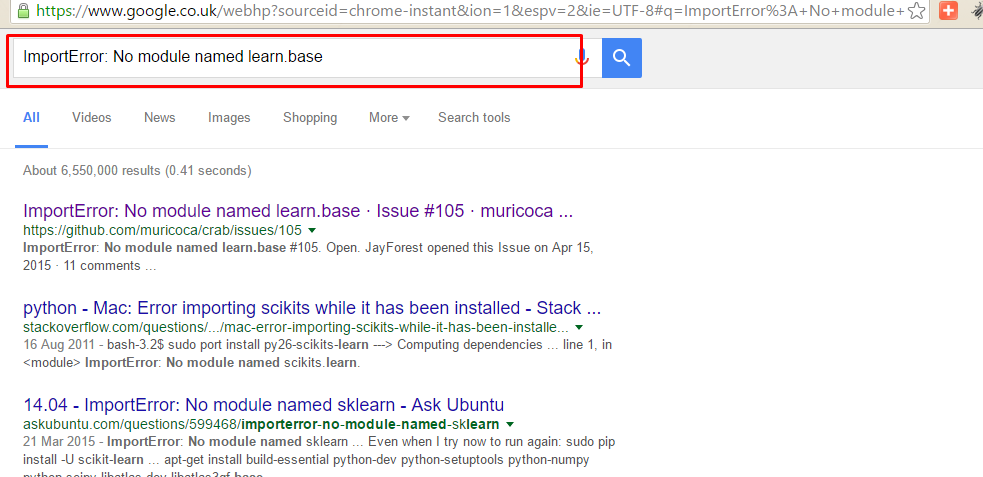
I was working on Recommender System and had a problem when i tried importing from scikits.crab.recommenders.knn import UserBasedRecommender. I encountered
If you have the above problem, to fix this, follow these guidelines as advised by Flowerowl at this link (https://github.com/muricoca/crab/issues/92): The
Welcome Guys, We will be looking at Array transposition in this quick notes. This is part of lectures on Learning Python for
An experienced DevOps and Cloud Training Company to meet your DevOps and Cloud needs
You can see how this popup was set up in our step-by-step guide: https://wppopupmaker.com/guides/auto-opening-announcement-popups/
On this website we use first or third-party tools that store small files (cookie) on your device. Cookies are normally used to allow the site to run properly (technical cookies), to generate navigation usage reports (statistics cookies) and to suitable advertise our services/products (profiling cookies). We can directly use technical cookies, but you have the right to choose whether or not to enable statistical and profiling cookies. Enabling these cookies, you help us to offer you a better experience.