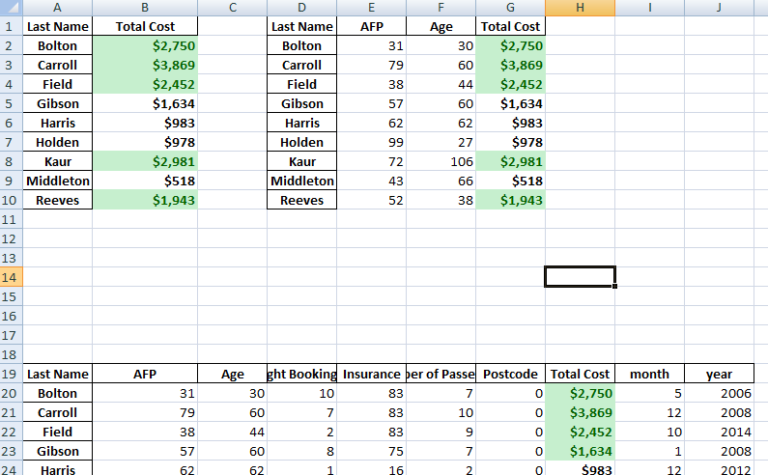
This tutorial is just to illustrate how to save Python Pandas dataframe into one excel work SHEET . You can save it column-wise, that is side by side or row-wise, that is downwards, one dataframe after the other. In [110]:
|
|
import sqlalchemy import pyodbc from pandas import DataFrame from bokeh.plotting import figure, output_file, show import pandas as pd |
In [111]:
1 2 3 4 5 6 7 8 9 10 11 12 13 14 15 16 17 18 19 20 21 22 |
df = DataFrame ## connect to SqlServer Database and get information. try: import urllib params = urllib.quote_plus("DRIVER={SQL Server Native Client 11.0};SERVER=.\MSSQLSERVER_ENT;DATABASE=Antrak;Trusted_Connection=yes;") engine = sqlalchemy.create_engine('mssql+pyodbc:///?odbc_connect=%s"' % params) resoverall = engine.execute("SELECT top 10 * FROM FlightBookingsMain") df = df(resoverall.fetchall()) df.columns = resoverall.keys() except (RuntimeError, TypeError, NameError): print('Error in Conneccting') print(RuntimeError, TypeError, NameError) finally: print("connected") |
In [112]:
|
|
#lets look at the head of the dataframe df.head() |
Out[112]: First Name Last Name…